
How to Use OpenClaw and BrowserMan to Collect Taobao Market Data
A practical step-by-step guide to using OpenClaw, BrowserMan, and a real browser session to collect Taobao search results, clean ecommerce data, and turn it into market-analysis inputs.
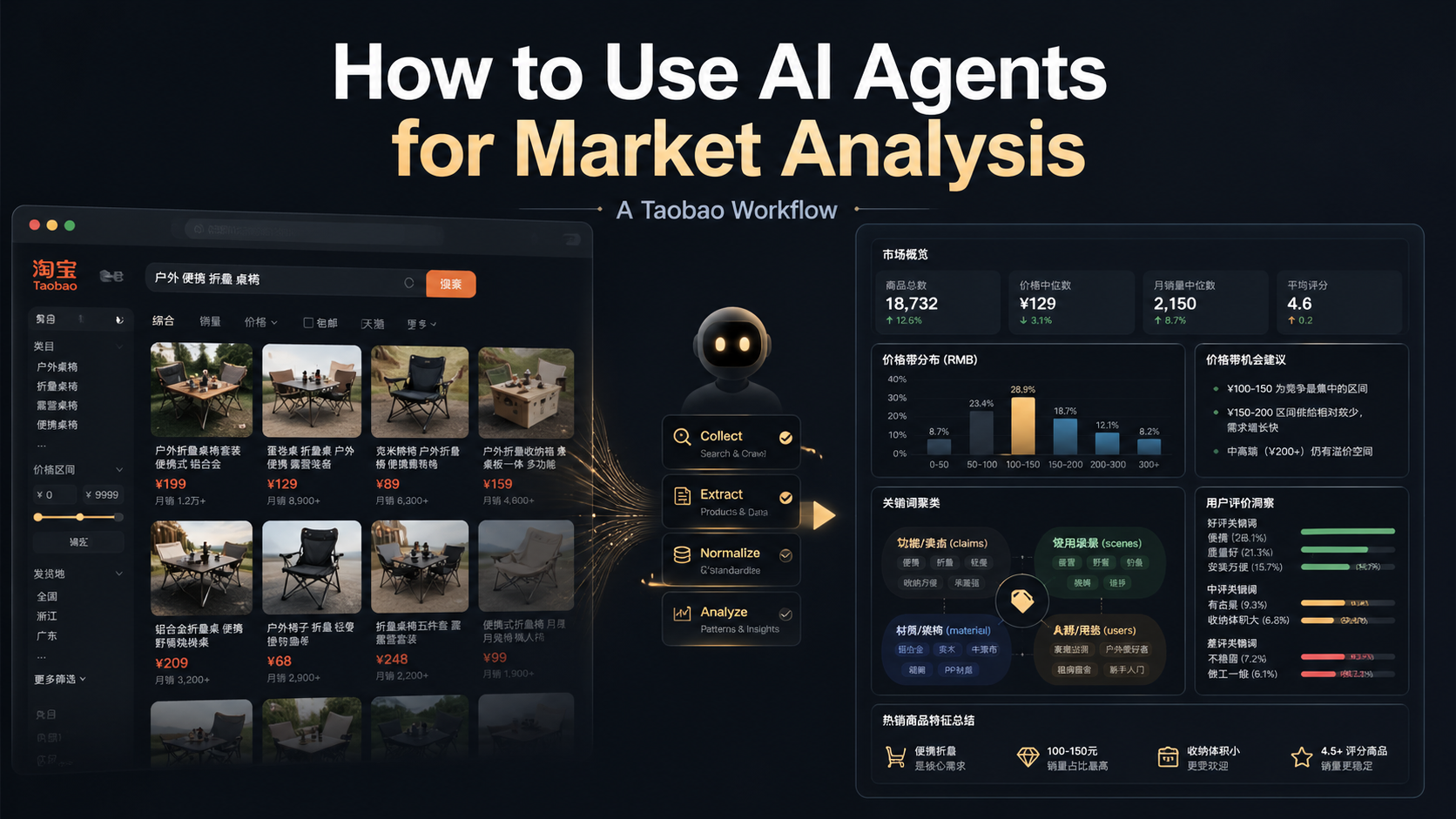
Most AI market analysis starts with the wrong first step.
It asks a model to “analyze the market” before the agent has collected any real market data. The output can sound polished, but it is usually built on thin evidence.
A better workflow is simple:
Send an agent to the real market surface first. Then ask it to analyze what it actually collected.
This guide shows how to do that with OpenClaw and BrowserMan using one concrete example: collecting Taobao sunscreen search results and turning them into a usable market-analysis dataset.
If you do not have OpenClaw set up yet, or you do not want to manage the agent server yourself, you can also start from ClawMama: a hosted OpenClaw bot that can be launched from Telegram in a few minutes. The workflow idea stays the same: connect a real browser, give the agent a clear task, collect structured data, and turn it into analysis.
What you are building
By the end of this workflow, you want a table like this:
| Field | Example |
|---|---|
| query | 防晒霜 |
| product title | ANESSA sunscreen milk SPF50+ |
| price | RMB 94 |
| sales text | 10万+人付款 |
| shop | Tmall Global official store |
| product URL | Taobao/Tmall item link |
| notes | waterproof, face/body, high protection |
That table is the real asset.
Once you have it, you can ask better questions:
- What price bands dominate this category?
- Which claims appear repeatedly in product titles?
- Which use cases are sellers targeting?
- Which promises should be validated against reviews?
- What content angles or product opportunities emerge?
This is how an AI agent becomes useful for market research: not by guessing, but by helping you collect and structure the messy web data first.
The stack
You need three pieces.
1. BrowserMan
BrowserMan gives the agent delegated access to your real browser session.
That matters for ecommerce work because many useful pages are dynamic, personalized, or login-dependent. The agent needs to operate the rendered page, but your cookies and logged-in state should stay in your browser.
Use BrowserMan for:
- opening Taobao in a real Chrome session,
- using your existing login state when required,
- running site-specific scripts,
- extracting product cards from rendered pages,
- keeping browser access revocable and scoped.
2. OpenClaw
OpenClaw is the agent workspace and execution layer.
Use it for:
- giving the task to the agent,
- running BrowserMan commands,
- saving raw JSON/CSV outputs,
- cleaning the data,
- writing analysis and reports.
3. ClawMama, if you want a hosted OpenClaw bot
If “install OpenClaw, configure the environment, and keep an agent server running” sounds like too much setup, ClawMama is the easier on-ramp.
ClawMama gives you a hosted OpenClaw bot on Telegram. The setup is designed to be simple:
- open
@clawmamarun_boton Telegram, - send
/create, - paste a BotFather token,
- choose a template,
- start using your OpenClaw bot.
The important difference is operational: instead of running the bot on your personal computer or wiring your own server, each bot runs on its own isolated cloud server. ClawMama handles deployment, storage, sleep/wake behavior, and the OpenClaw runtime for you.
That makes it a good option for people who want the workflow without becoming infrastructure operators first.
The workflow does not change:
- connect a real browser through BrowserMan,
- describe the market-research task clearly,
- collect data,
- clean the output,
- analyze the result.
The important part is not whether you run OpenClaw yourself or use ClawMama. The important part is that the agent works from real market data.
Step 1: install and connect BrowserMan
Start with BrowserMan because Taobao data collection depends on a real browser surface.
At a high level:
- Install BrowserMan from browserman.run.
- Connect it to your Chrome browser.
- Make sure the browser shows as online in your agent environment.
- Log in to Taobao manually if needed.
- Keep the browser open while the agent runs the task.
The key principle:
Do not give the agent your Taobao password. Log in yourself, then delegate browser access through BrowserMan.
That keeps the account session in your browser instead of pasting credentials into an agent chat.
Step 2: write a task prompt that produces data, not just prose
Bad prompt:
Analyze the Taobao sunscreen market.
That invites the model to guess.
Better prompt:
Use BrowserMan to search Taobao for “防晒霜”.
Collect visible product cards from the search results page.
For each product, extract: title, price, sales text, shop name, location if available, and product URL.
Save the raw output as JSON.
Then clean it into a CSV table.
Do not claim review insights or exact sales unless those fields were actually collected.
This prompt does three useful things:
- It names the market surface: Taobao search.
- It defines the fields you want.
- It tells the agent not to overclaim.
For market analysis, that third point is not optional. A good agent should separate observed data from hypotheses.
Step 3: collect Taobao search results
In our sunscreen test, the BrowserMan Taobao search script returned product cards from a rendered Taobao search page.
The first query was:
防晒霜The useful fields were:
- product title,
- price,
- sales text,
- shop name,
- location,
- product URL.
For a larger sample, expand the query set instead of relying on one keyword.
For example:
防晒霜
防晒乳
防晒喷雾
儿童防晒霜
男士防晒霜
油皮防晒霜
This creates a better category sample because different search terms expose different product segments: general sunscreen, lotion, spray, children, men, oily skin, and so on.
Step 4: save raw data before cleaning it
Always save the raw output first.
A good folder structure looks like this:
market-research/
  taobao-sunscreen/
    raw/
      search-防晒霜.json
      search-防晒乳.json
      search-防晒喷雾.json
    cleaned/
      products.csv
    notes/
      findings.md
Why keep raw files?
Because ecommerce pages are messy. You may later need to check whether a strange row came from the page, the extraction script, or your cleaning logic.
Raw data is your audit trail.
Step 5: clean the product list
Taobao search results can include irrelevant or duplicate rows.
In our sunscreen workflow, expanded searches produced raw rows that included non-cosmetic “sun protection” products such as car covers, sun shades, bottles, and test cards. These had to be removed before analysis.
A practical cleaning pass should:
- deduplicate by product ID or URL,
- remove irrelevant categories,
- normalize prices into numbers,
- preserve the original sales text,
- keep the source query for each item,
- save the cleaned table as CSV.
Do not clean too aggressively. If a product is ambiguous, keep it with a note or put it into a review queue.
Step 6: create the first analysis table
Once the data is clean, start with simple summaries.
Price bands
Group products into price bands:
Under RMB 50
RMB 50-100
RMB 100-200
RMB 200+
This quickly shows where the visible market is concentrated.
Title signals
Create a keyword taxonomy from product titles:
High protection: SPF, PA, UV, waterproof
Usage scenario: outdoor, commute, military training, beach
Persona / skin type: oily skin, dry skin, men, children, sensitive skin
Makeup / tone correction: primer, tone-up, no white cast
Lightweight feel: refreshing, non-greasy, gel, no pilling
Skincare benefit: moisturizing, soothing, repair, anti-photoaging
This turns messy titles into a market map.
Hypotheses to validate later
Search titles can suggest user anxieties, but they do not prove complaints.
For sunscreen, title claims pointed to seven review-mining hypotheses:
- greasy or heavy feel,
- pilling under makeup,
- white cast,
- eye sting,
- acne or clogged-skin concerns,
- irritation or allergy,
- weak waterproofing or poor durability.
These should be tested against reviews in the next workflow.
Step 7: write the result as a report
A useful market report should not hide its method.
Use this structure:
1. What data we collected
2. What fields were available
3. What we cleaned out
4. Key price bands
5. Repeated title signals
6. Use-case segments
7. Hypotheses that need review validation
8. What brands or content teams should do next
That structure is simple, but it works.
It lets the reader trust the report because they can see the path from browser data to analysis.
Here is the output report from this workflow: China Sunscreen Market Report — April 2026.
A reusable prompt template
Use this template for other categories:
I want to analyze the [CATEGORY] market on [PLATFORM].

Use BrowserMan to search for these keywords:
- [KEYWORD 1]
- [KEYWORD 2]
- [KEYWORD 3]

For each visible product result, collect:
- title
- price
- sales text or rating text if visible
- shop / seller
- location if visible
- product URL
- source keyword

Save the raw output as JSON.
Clean the results into a CSV.
Remove irrelevant products and duplicates, but keep a note of what was removed.

Then summarize:
1. price bands,
2. repeated title claims,
3. use-case segments,
4. buyer anxieties suggested by the claims,
5. what needs review or detail-page validation next.

Important: do not claim exact sales, review sentiment, or market share unless those fields were actually collected.
This template works for more than sunscreen.
Try it with:
- coffee machines,
- cat food,
- camping gear,
- running shoes,
- air purifiers,
- kids’ desks,
- app marketplace listings,
- SaaS review pages.
The category changes. The workflow stays the same.
Why this is a good cornerstone workflow
This is not just a Taobao trick.
It is a repeatable SEO and content system:
- publish a practical workflow guide,
- use the workflow to collect real data,
- publish a result report,
- link the report back to the workflow,
- repeat the pattern for another category.
For example:
- workflow: how to use agents for ecommerce market analysis,
- result: China sunscreen market report,
- next workflow: how to mine ecommerce reviews with agents,
- next result: sunscreen negative-review opportunity report.
That is stronger than writing generic AI thought pieces.
It gives readers a practical method and a concrete proof asset.
The main lesson
Do not ask an AI agent to invent a market report.
Ask it to collect the market first.
Then make it show its work.
That is where OpenClaw, BrowserMan, and tools like ClawMama become useful: they help move AI market analysis from prompt-based guessing to browser-based evidence collection.