
Browser agents compared: automation, infra, and delegated browser access
Browser agents, browser infrastructure, and delegated real-browser access solve different parts of the same problem. Here is how to tell them apart.
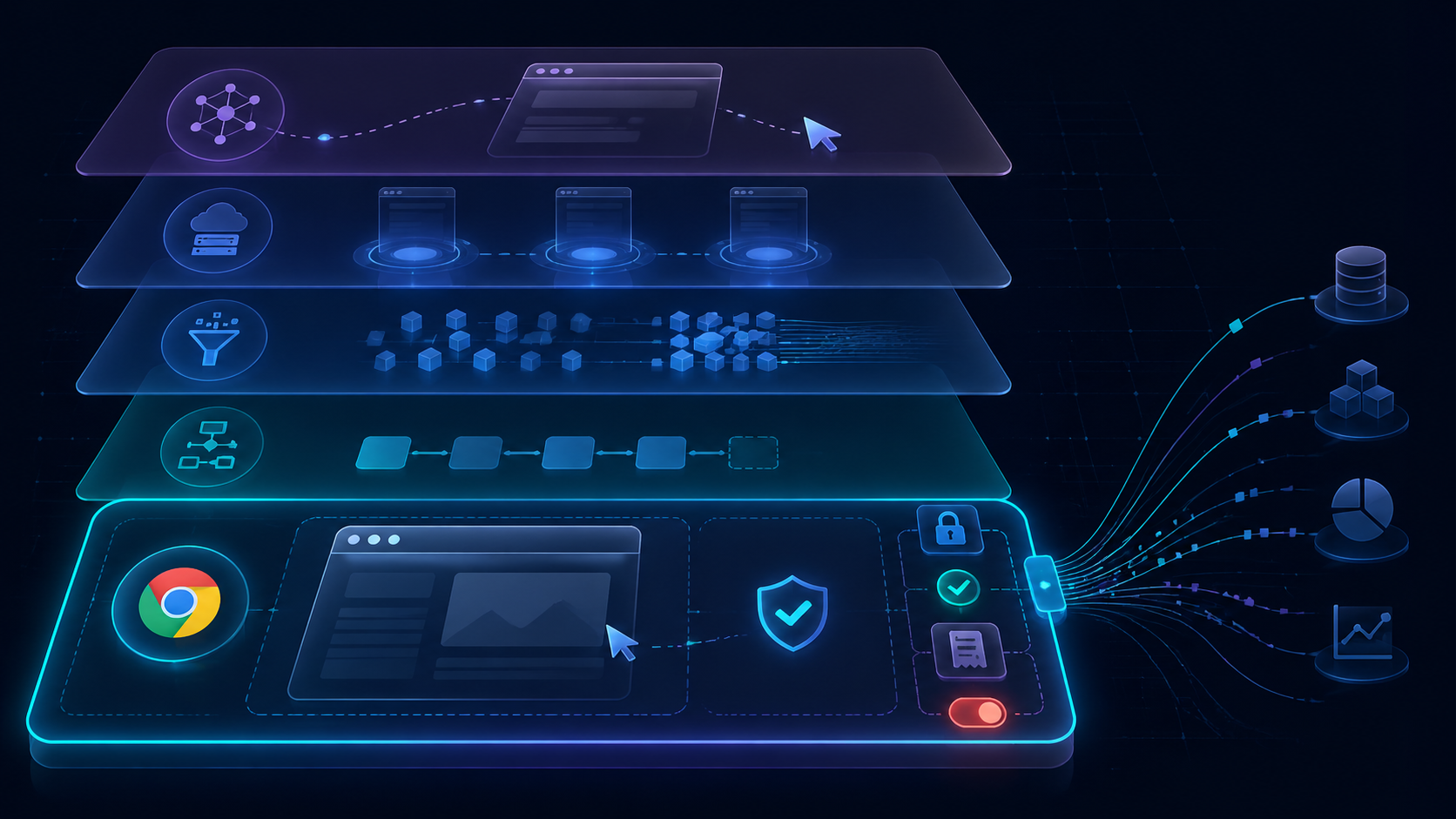
The browser-agent category is getting crowded.
Some tools let an AI model click around websites. Some provide cloud browsers for agents and automation. Some look more like RPA for messy web workflows. Some scrape or extract web data. And some large labs are teaching general agents to operate computers directly.
Those are all useful directions, but they are not the same product.
The important distinction is not only:
Can the agent use the web?
The more useful question is:
What kind of browser access is the user actually delegating, and how is that access controlled?
That is where BrowserMan sits.
BrowserMan is not trying to be another autonomous browser agent. It is delegated real-browser access for AI agents: your agent can use your real Chrome session, while cookies stay local and the work can be scoped, gated, audited, and revoked.
This post compares the main browser-agent patterns and where delegated browser access fits.
1. Browser agents: “Can the model operate a website?”
Open-source browser agents and autonomous web agents usually start with a simple promise:
Give the model a browser. Let it complete the task.
That is powerful. A good browser agent can open pages, click buttons, read UI state, fill forms, recover from small page changes, and combine language reasoning with browser interaction.
This category is great for demos because the value is visual. You can watch the agent do the thing.
Examples of the category include open-source browser-control projects, autonomous task agents, and research demos around computer or browser use.
They tend to answer questions like:
- Can the agent navigate the site?
- Can it understand page state?
- Can it recover when selectors change?
- Can it fill the form or complete the workflow?
- Can it use the browser without a hand-written script?
That matters. But it is only the first layer.
Once the agent moves from a demo website to a real logged-in account, another set of questions appears:
- Which account is it using?
- Where did the login state come from?
- Are cookies being exported into a remote runtime?
- What actions can the agent take without approval?
- Can the user revoke access?
- What receipt proves what happened?
A browser agent proves the model can operate a website.
A delegated browser-access layer proves the user can safely lend browser authority to that agent.
Those are different jobs.
2. Browser infrastructure: “Can agents get reliable browsers?”
Another group of products focuses on browser infrastructure.
These tools make it easier for developers to run browsers in the cloud, coordinate automation, observe browser state, extract structured data, or build AI apps that need browser sessions.
They tend to answer questions like:
- How do I launch a browser reliably?
- How do I run many browser sessions?
- How do I connect automation frameworks or SDKs?
- How do I make browser automation easier for developers?
- How do I observe and debug what the agent did?
This is important infrastructure. Many agent applications need reliable browser execution, screenshots, session management, proxy support, or developer-friendly SDKs.
But browser infrastructure often starts from a remote browser.
That is fine for many workflows. If the task is public web browsing, scraping, extraction, testing, QA, or a controlled automation environment, a fresh remote browser is often exactly what you want.
The question changes when the workflow depends on the user’s existing browser state.
For example:
- the user is already logged into a support inbox,
- MFA is tied to the local browser,
- a CMS session contains the correct workspace,
- an internal admin panel is only reachable from the user’s browser,
- a CRM view depends on the user’s saved filters and permissions,
- cookies should not be copied into an agent runtime.
In that world, the problem is not only getting a browser.
The problem is delegating access to the right browser session.
3. Workflow automation: “Can the agent run the business process?”
Some products are closer to AI workflow automation or next-generation RPA.
The promise is not just “the model can browse.” It is:
The system can complete messy operational workflows across real web apps.
This is where the buyer value becomes clearer. Businesses do not buy browser agents because clicking is fun. They buy outcomes:
- process support tickets,
- fill portals,
- update back-office systems,
- reconcile records,
- prepare reports,
- move data between tools,
- handle repetitive admin work.
This category is closer to where money lives.
It also exposes the hard parts faster.
A real workflow usually has risk boundaries:
- reading is fine, but sending is risky;
- drafting is fine, but publishing is risky;
- proposing a CRM update is fine, but saving it is risky;
- checking an order is fine, but refunding it is risky;
- preparing a form is fine, but submitting it is risky.
That means workflow automation needs more than model intelligence.
It needs scope, approvals, receipts, rollback paths, and handoff state.
BrowserMan’s view is that a real browser workflow should be designed around those boundaries from the start.
4. Web extraction: “Can we turn the web into data?”
Web extraction and crawling tools solve another important part of the stack.
They help agents and applications fetch pages, crawl sites, convert HTML into markdown, extract structured data, or feed clean web context into models.
That is a different job from delegated browser access.
Extraction tools are often best when the goal is:
- read public pages,
- crawl documentation,
- collect research context,
- turn websites into model-readable data,
- monitor public web changes,
- avoid full browser interaction when it is unnecessary.
BrowserMan is for the workflows where reading public web data is not enough.
If the agent needs to act inside the user’s real logged-in environment, the problem becomes authority, not just data.
That is the key line:
Web extraction gives the agent information. Delegated browser access gives the agent controlled authority.
Both can matter. They should not be confused.
5. Computer-use agents: “Can a general agent use software?”
Large model labs are also pushing computer-use and general operator agents.
These systems teach models to use graphical interfaces: browsers, desktop apps, forms, menus, and other software surfaces.
They are helping the market understand an important idea:
Agents will not only answer. They will operate software.
That is a huge category shift.
But once people accept that agents can operate software, the next question is governance:
- What account are they operating inside?
- What authority was delegated?
- What can they do without approval?
- What happens if they click the wrong button?
- What state did they leave behind?
- How does the user stop or revoke access?
The labs are making computer use possible.
The operating layer has to make it usable in real work.
Where BrowserMan fits
BrowserMan focuses on the missing layer between “agent can use a browser” and “I can safely let this agent use my browser.”
The primitive should not be:
this agent can use the browser
It should be:
this agent can use this session, for this task, on these surfaces, under these gates, with this receipt, until revoked.
That is delegated browser access.
BrowserMan connects agents to the user’s real Chrome browser so they can use existing login state without moving cookies into the agent runtime.
The product is built around a different set of questions:
- Which real browser session is delegated?
- Which sites or workflows are in scope?
- Which actions are read-only?
- Which actions require approval?
- What evidence should be captured?
- What receipt does the agent leave?
- How does the user revoke access?
That is why BrowserMan pairs well with other browser-agent tools.
If you already have an agent, BrowserMan gives it controlled access to a real browser.
If you already have browser infrastructure, BrowserMan covers the real-session delegation problem.
If you are building workflow automation, BrowserMan helps make logged-in browser authority explicit and revocable.
A simple comparison
Here is the practical difference:
| Category | Main question | Best for | Missing risk boundary |
|---|---|---|---|
| Browser agents | Can the model operate websites? | autonomous web tasks, demos, browser reasoning | real account delegation, approvals, receipts |
| Browser infrastructure | Can developers run reliable browsers? | cloud browsers, SDKs, automation infra | user-owned logged-in Chrome, cookie locality |
| Workflow automation | Can the system run business processes? | back-office work, RPA-like tasks | fine-grained browser-session delegation |
| Web extraction | Can we turn web pages into data? | crawling, research, markdown, structured extraction | acting inside logged-in authority |
| Computer-use agents | Can general agents use software? | broad GUI operation | session scope, revoke, audit, handoff |
| BrowserMan | Can agents use a real browser session safely? | delegated logged-in browser workflows | intentionally focused on access/control layer |
The categories overlap, but the center of gravity is different.
The BrowserMan pattern: scope, gates, receipts
The safest browser-agent workflows tend to follow the same pattern.
Scope before execution
Define what the agent can touch:
- browser session,
- sites,
- tabs,
- records,
- queues,
- drafts,
- tools,
- time window,
- allowed data types.
Gates during execution
Pause before risky actions:
- send,
- publish,
- refund,
- export,
- merge,
- delete,
- update live records,
- trigger outreach,
- change account settings.
Receipts after execution
Leave a handoff artifact:
- what the agent inspected,
- what evidence it used,
- what it drafted,
- what it changed or proposed,
- what needs approval,
- what was skipped,
- what browser/app state remains,
- how to resume or roll back.
This is the difference between a browser-agent demo and a browser-agent system.
The demo proves the agent can click.
The system proves the click was scoped, allowed, observable, and recoverable.
Example workflows
We are building the workflow side of this in the open:
- Support Inbox Approval Queue
- Lead Research with a Real Browser
- CMS Draft / Publish Gate
- CRM Contact Update Receipt
- Scopes, Gates, Receipts
These are not meant to show that agents can click buttons.
They are meant to show how real browser workflows should be delegated.
A support inbox agent can inspect tickets and draft replies, but refunds and sends are approval boundaries.
A CMS agent can prepare a draft and validate metadata, but publish is an approval boundary.
A CRM agent can propose field-level updates with evidence, but saving the record is an approval boundary.
A lead research agent can collect sources and draft outreach, but sending is an approval boundary.
That is the product philosophy.
How to choose
Use a browser agent when you need the model to reason through web interaction.
Use browser infrastructure when you need reliable remote browsers for automation.
Use web extraction when the task is reading and structuring public web data.
Use workflow automation when the goal is an operational business process.
Use BrowserMan when the agent needs controlled access to a real logged-in Chrome session.
Especially when you care about:
- existing login state,
- cookies staying local,
- delegated access,
- scoped sessions,
- human approval at risky steps,
- receipts and audit trails,
- one-click revoke.
The browser-agent market is not one category. It is a stack.
BrowserMan’s layer is delegated browser access.
That layer becomes more important as agents move from demos into real accounts.